How it works
Two import modes
Single mode
Up to ~100 tracks. Best for most playlists.
How: paste one Spotify playlist URL.
Multi mode
100+ tracks. For large playlists, the importer splits the URL list across multiple calls.
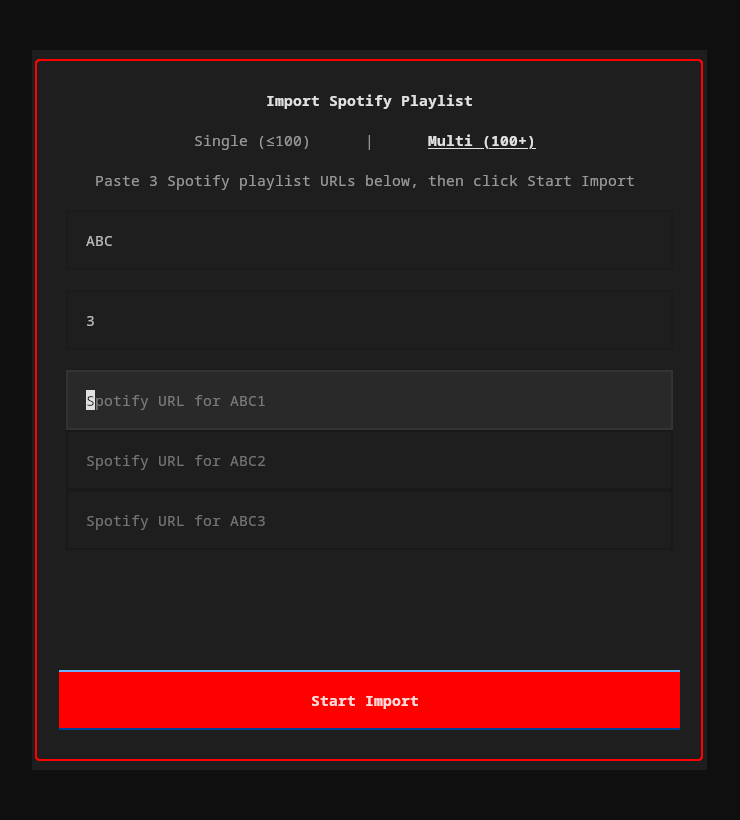
How: enter a name + number of parts, then paste a URL for each part.
Run from the TUI or the CLI
From the TUI
Click Import in the footer (or press the import button). A popup lets you paste URLs, choose single or multi mode, and watch import progress in real time.
From the CLI
One-shot import without opening the TUI:
ytm import "https://open.spotify.com/playlist/37i9dQZF1DXcBWIGoYBM5M"Interactive flow: fetches tracks, shows match results, lets you resolve ambiguous matches, names the playlist, then creates it.
Extraction methods
1. Spotify Web API
Full pagination, handles any playlist size. Requires a free Spotify Developer app (you set up client_id + client_secret in ~/.config/ytm-player/spotify.json).
2. Scraper fallback
No credentials needed. Limited to ~100 tracks. Used automatically if Spotify API credentials aren't configured.
Try the parser
Paste a Spotify playlist URL — see how the importer extracts the playlist ID locally (no network call):
Spotify Import
Import your Spotify playlists into YouTube Music — from the TUI or CLI.
How it works
- Extract — Reads track names and artists from the Spotify playlist.
- Match — Searches YouTube Music for each track using fuzzy matching (title 60% + artist 40% weighted score).
- Resolve — Tracks scoring 85%+ are auto-matched. Lower scores prompt you to pick from candidates or skip.
- Create — Creates a new private playlist on your YouTube Music account with all matched tracks.
Two modes
| Mode | Use case | How |
|---|---|---|
| Single (≤100 tracks) | Most playlists | Paste one Spotify URL |
| Multi (100+ tracks) | Large playlists split across parts | Enter a name + number of parts, paste a URL for each |
From the TUI
Click Import in the footer bar (or press the import button). A popup lets you paste URLs, choose single/multi mode, and watch progress in real time.
From the CLI
ytm import "https://open.spotify.com/playlist/37i9dQZF1DXcBWIGoYBM5M"Interactive flow: fetches tracks, shows match results, lets you resolve ambiguous/missing tracks, name the playlist, then creates it.
Extraction methods
The importer tries two approaches in order:
- Spotify Web API (full pagination, handles any playlist size) — requires a free Spotify Developer app. On first use, you'll be prompted for your
client_idandclient_secret, which are stored in~/.config/ytm-player/spotify.json. - Scraper fallback (no credentials needed, also handles any playlist size) — used automatically if API credentials aren't configured.